* Project handcrafted by a human
GentleOS/32 is a nostalgic hobby OS for vintage 32-bit PCs with a retro-style GUI, a handful of built-in apps, and a selection of classic games.
Its minimal requirements are an i386 CPU with 1MB of RAM, a mouse, and a VGA display supporting 640x480x16 mode.
It's built specifically for tinkering with old hardware on the bare metal, using plain C. It doesn't have any "practical" use, there's no web browser and no way to run third-party apps.
It has a pure 16-bit spin-off called GentleOS/16, which targets even older PCs.
Try in your browser
Open this page in a desktop browser to run an online PC emulator
Click here to launch GentleOS/32 in an online PC emulator.
Design
Unlike many other hobby osdev projects, GentleOS doesn't attempt to mimic general-purpose systems. It's designed more like microcontroller firmware - entirely monolithic and compiled to a single binary.
It's written in a simple subset of plain C with small bits of assembly. The source code is meant to be straightforward and easy to understand.
It only supports standard PC devices: VGA/SVGA, keyboard, PS2/serial mouse, PC speaker.
By design it doesn't support virtual memory, userspace, preemptive multitasking, persistent storage or networking. The only future development plans are refactoring, bugfixes, optimizations, and adding more apps.
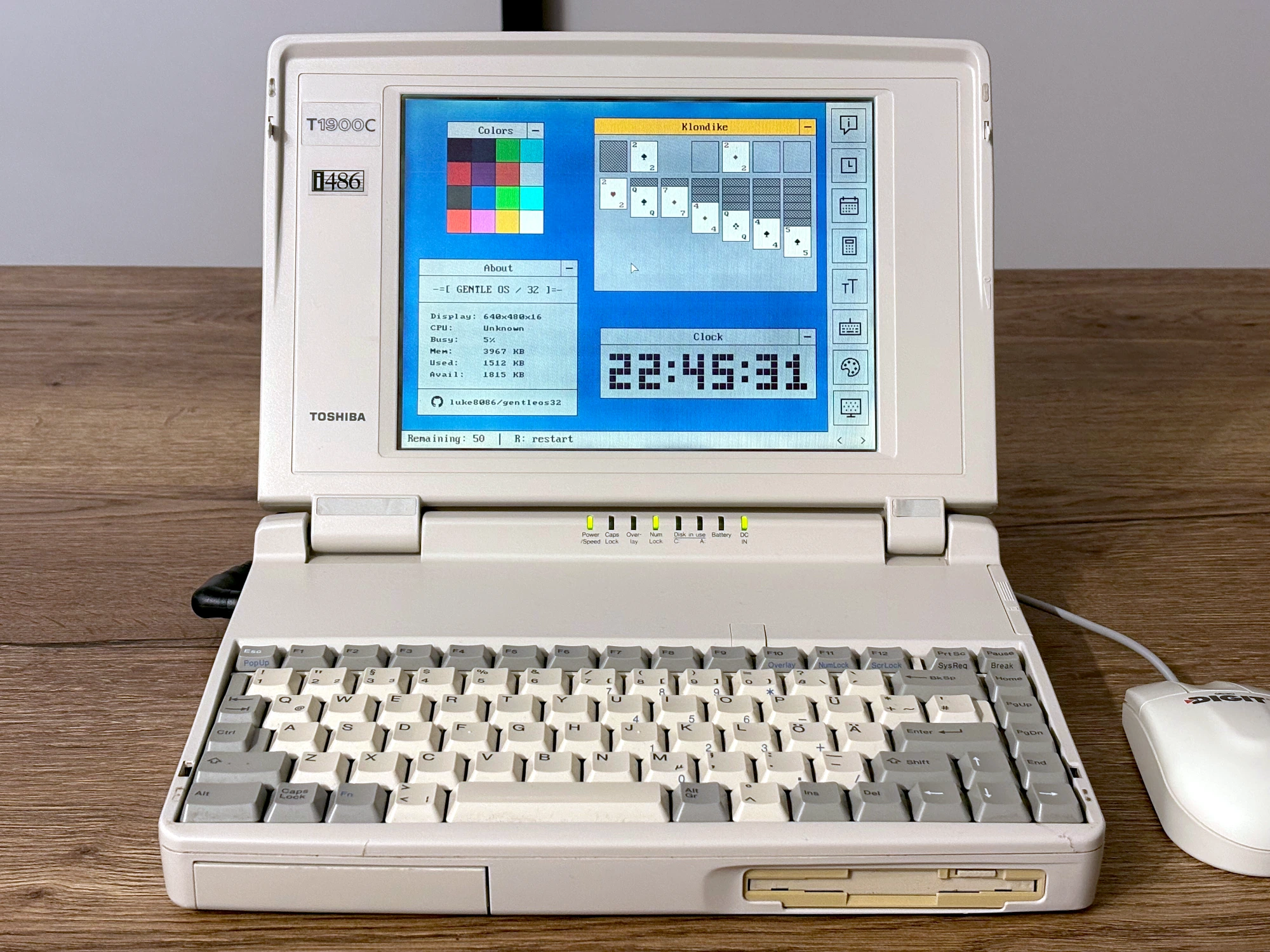
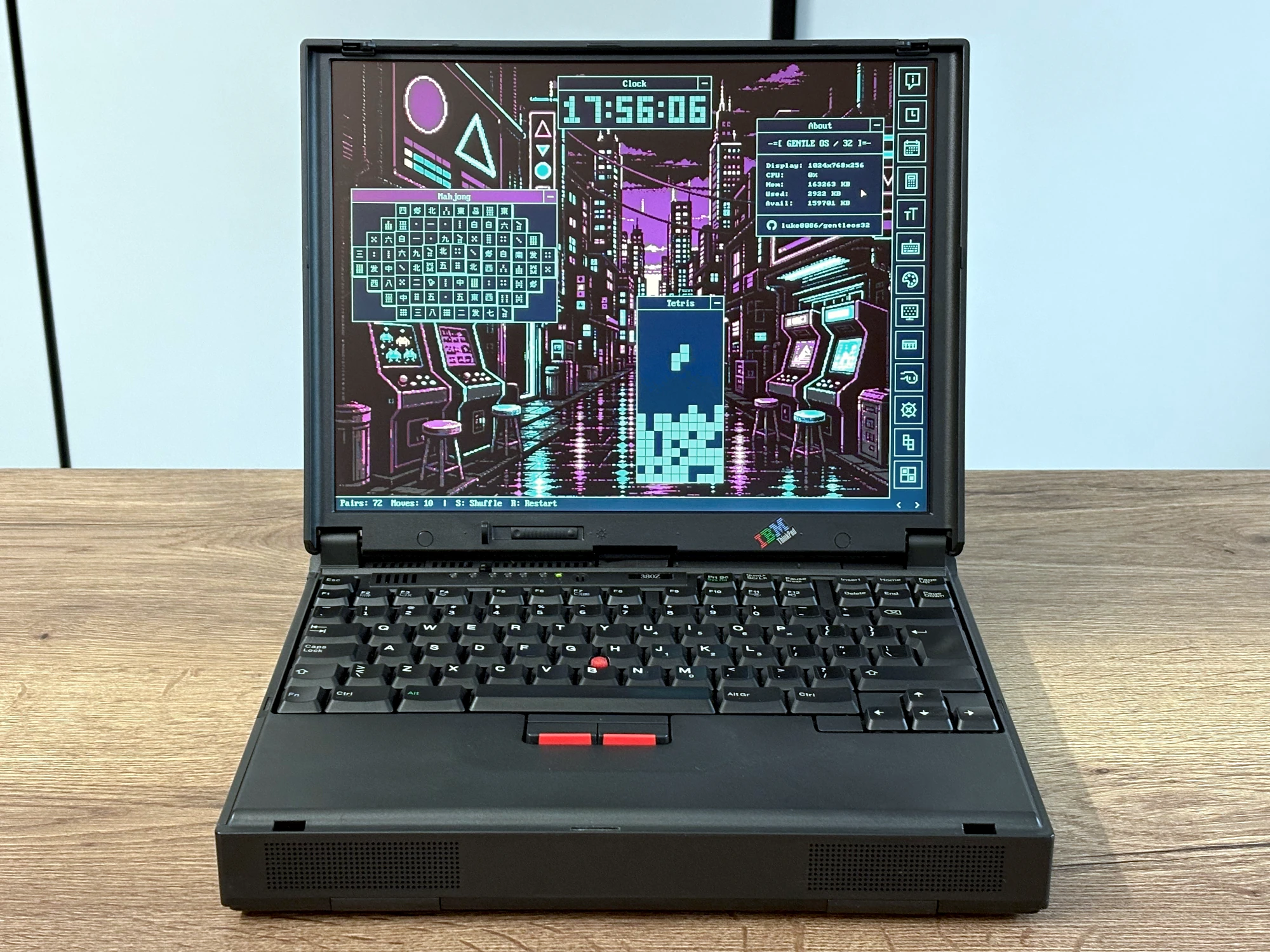
Gallery
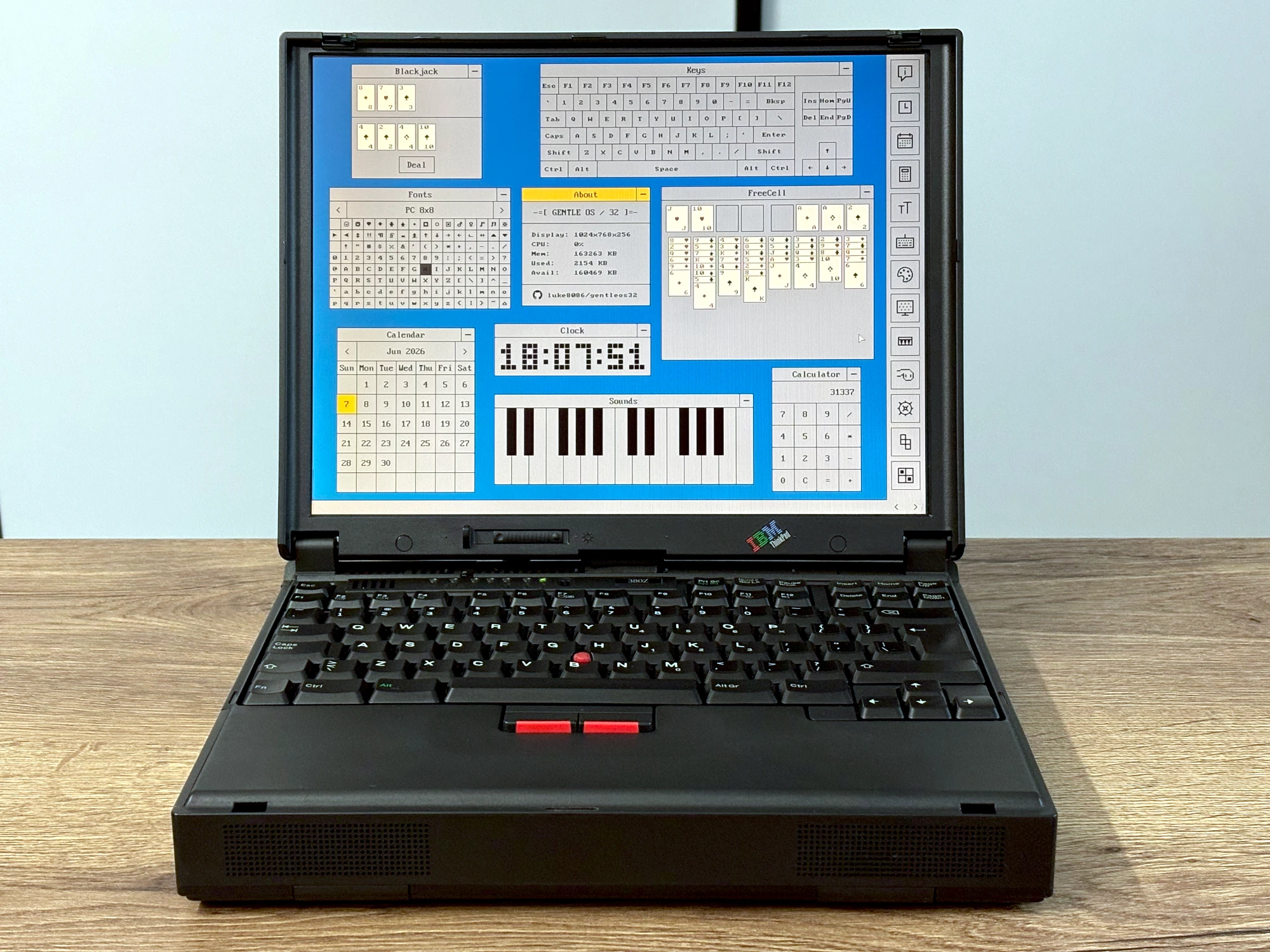
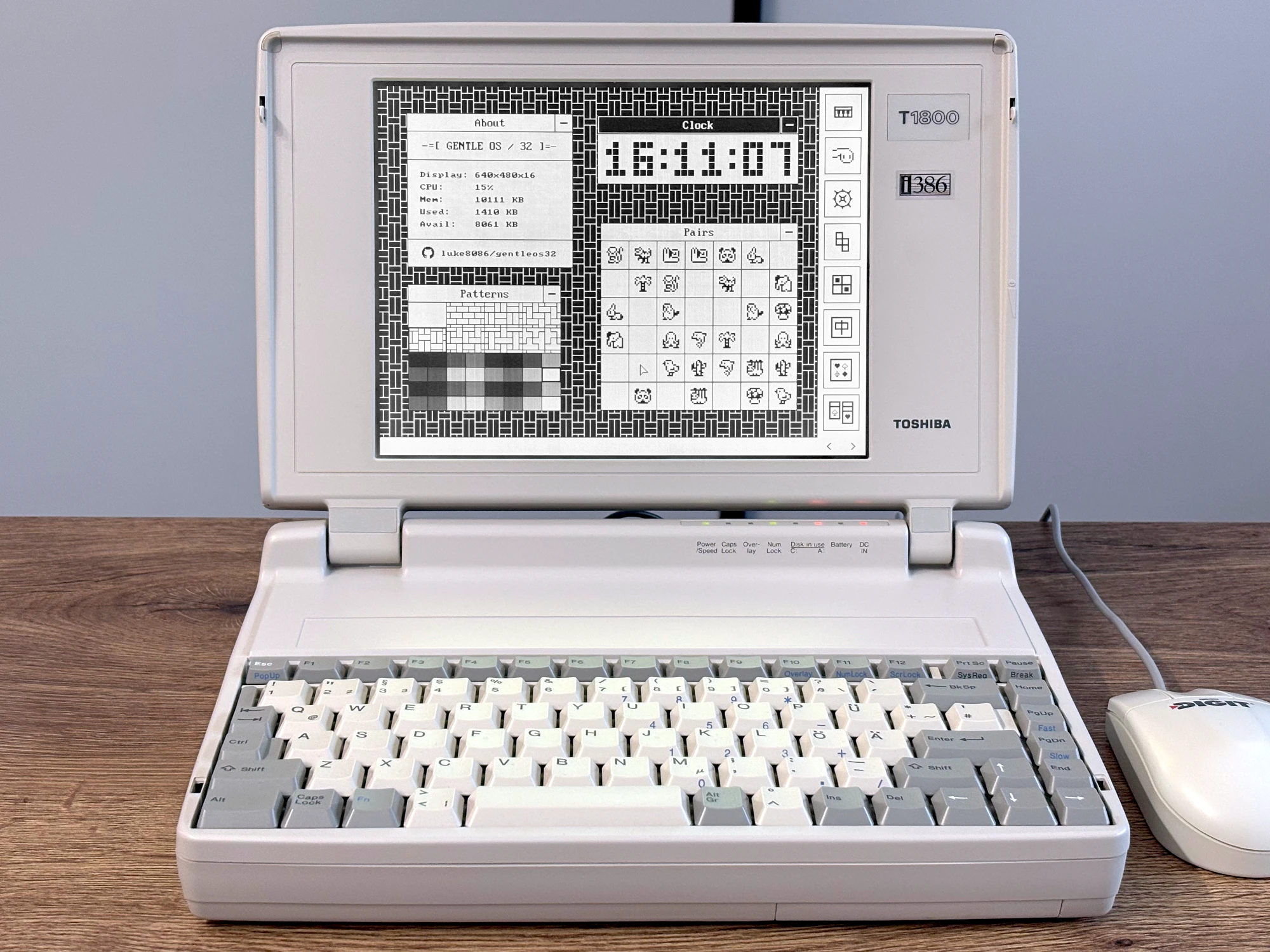
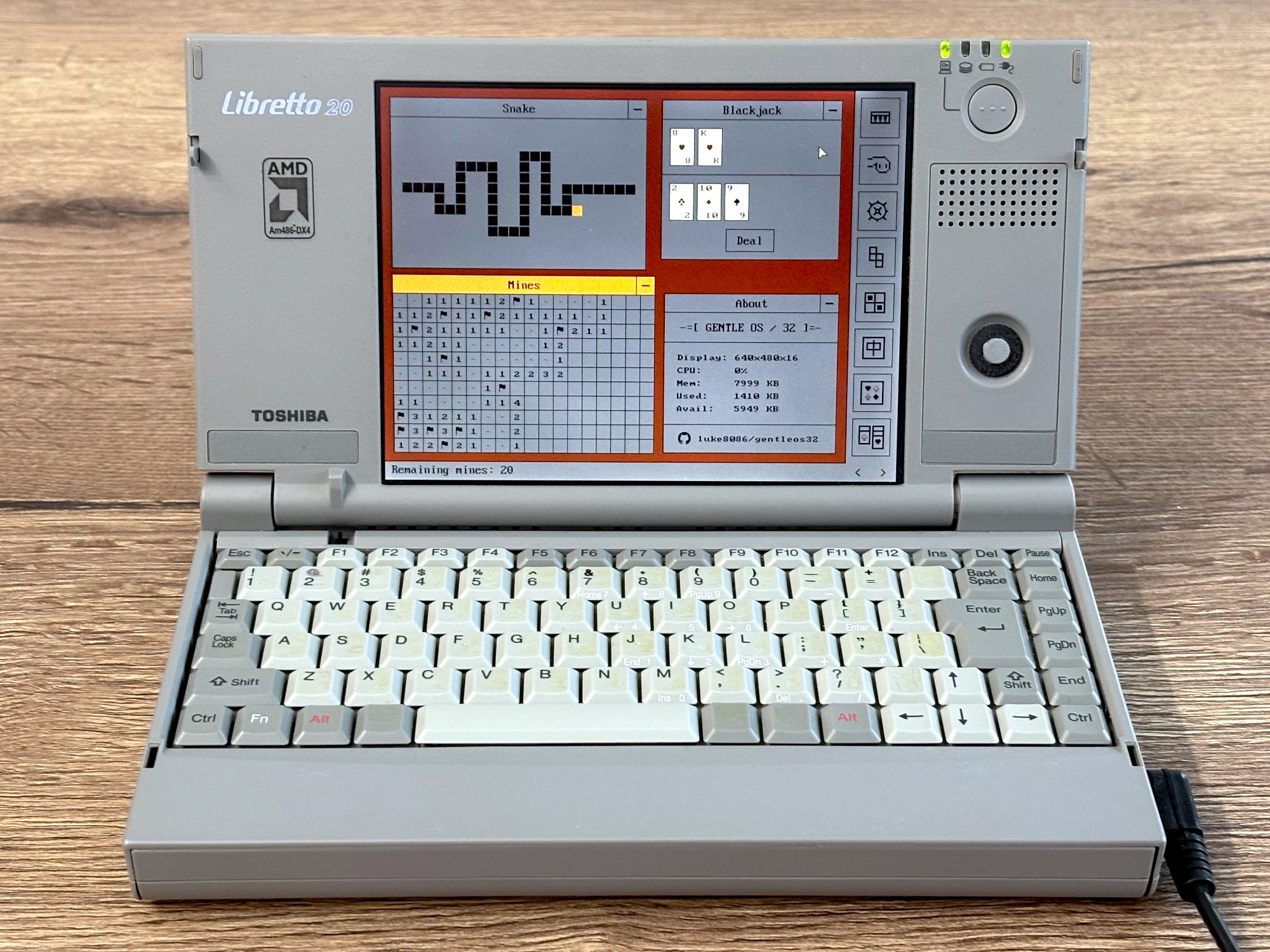
Downloads
gentleos32-base.img - Bootable disk image that can be written to a 1.44M/720K/360K floppy, HDD or USB flash drive.
gentleos32-emu.img - Same as above with extra assets and padded with zeros for use in emulators
gentleos32-grub.img - Alternative disk image with GRUB 2. It requires 4MB of RAM.
gentleos.bin - Kernel file that can be booted with either GRUB 2, GRUB Legacy or GRUB4DOS.
Q&A
Why did you make it?
I first started tinkering with a hobby OS around 2007, thanks to the excellent tutorial by JamesM. I kept coming back to it from time to time, but never had a good idea where to take it.
Then, during the pandemic, I got hooked on buying for cheap and restoring vintage laptops from local auction sites, often sold in unknown condition by people clearing out their attics.
A few more years later, as they mostly kept lying on a shelf collecting dust, I finally got the idea to take my latest codebase, remove everything unnecessary, port it back to 32-bit, and turn it into a fantasy OS made specifically for retro PCs.
Will it run on my PC?
Due to quirkiness of old devices, the only way to know for sure is to check. The lowest hardware configuration tested by the author was 386SX/16MHz CPU with 1MB of RAM. On the high end, the PC must still support BIOS / legacy boot. It won't work on pure-UEFI systems since they don't emulate PS2 keyboard and mouse.
Does it support serial mouse?
Yes, you can turn it on in the bootloader menu, or later by pressing Ctrl+Shift+S.
How to debug over serial port?
My preferred way is to use
Serial USB Terminal
on Android, through a cheap RS232 to USB-C adapter with PL-2303 chipset, and a mini null-modem F-F adapter.
In the app you need to set 9600 baud rate, 8 data bits, no parity, 1 stop bit.
On boot you need to select debug mode from the menu, or if using GRUB, add serial=debug to the kernel command line.
How to add a wallpaper?
You can find the instruction in the README.
How to add a song?
You can find the instruction in the README.
Are the photos real? The screen on my device doesn't look that good.
They're real, taken with an iPhone 16, and lit using a softbox. Only minor adjustments were done in GIMP - trimming, white balance, exposure, and contrast.
How to contribute?
I'm making this project for fun in my spare time and sharing it as-is. I don't really accept pull requests because I already have plenty of them to review at work. However, if you do anything interesting with it, please drop me an email! Make sure to mention if you're happy with your changes being included in my branch or on the website.
Links
- Source code
- GentleOS/16 - Sibling OS for 16-bit devices
- Thread on HN (2026-06-07)
- Thread on Lobste.rs (2026-06-08)
Other useful resources:
- OSDev.org - Extensive wiki and forum about OS development
- FreeDOS - Actively maintained clone of DOS, the best way to go if you want to do something practical with a very old PC
License
Copyright © 2026 luke8086. GentleOS/32 is licensed under the GNU General Public License, version 2.